
Organization
Structure your operation from the first access.
Structure, people, tasks, checklists, evidence and reports connected in a simple, linear experience.
Structure your operation from the first access.
Use your organization logo and available colors.
Register sites, address, phone and geolocation.
Organize locations by region.
Define responsibilities and visibility.
Create actions with deadlines and track completion.
Create recurring, one-off or on-demand verifications.
Reuse questions across different checklists.
Capture photos per question directly in the app: 1 on Free and Basic, 2 on Pro and up to 3 on Premium.
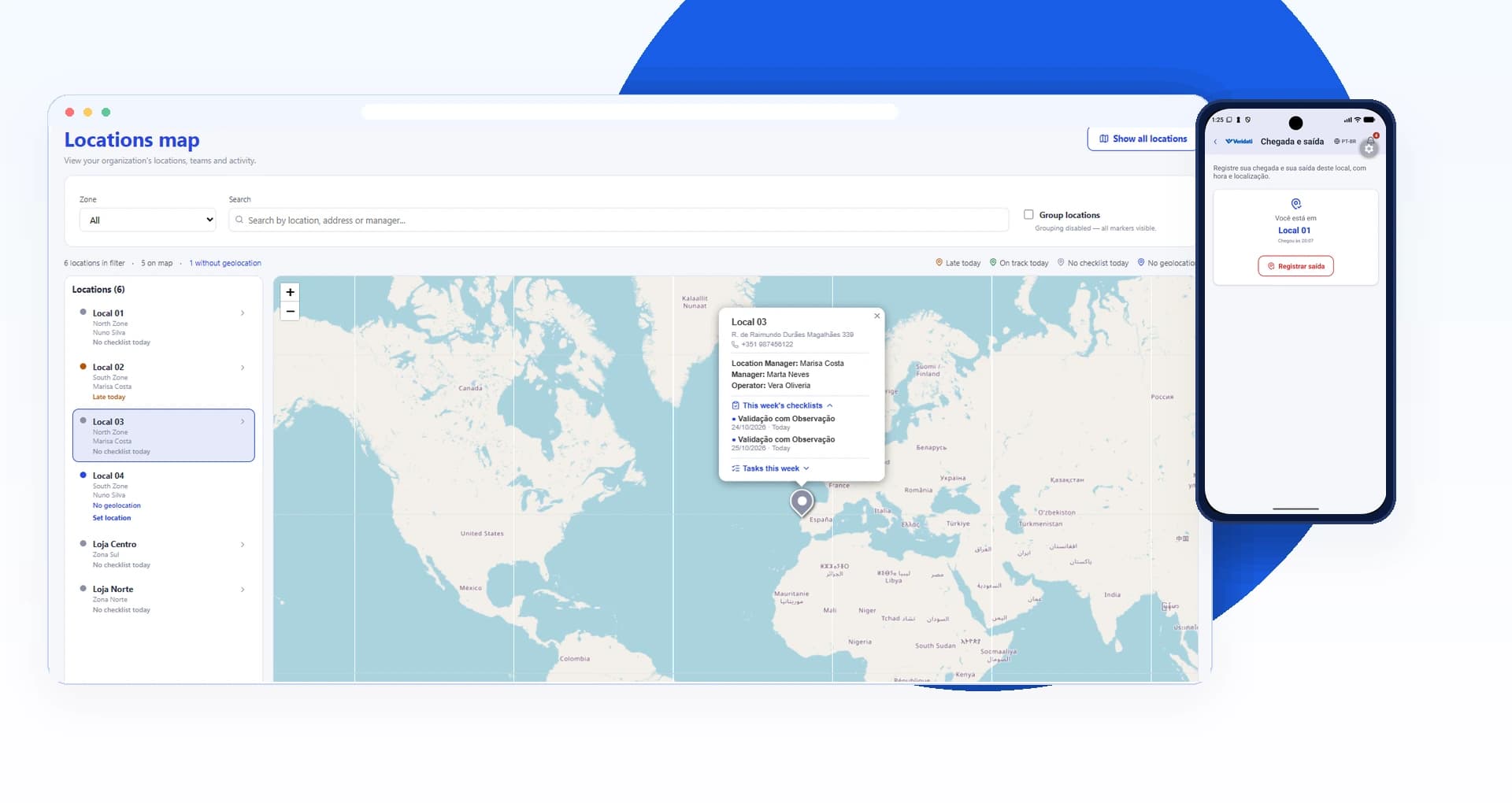
See locations and this week’s checklists in Account web.
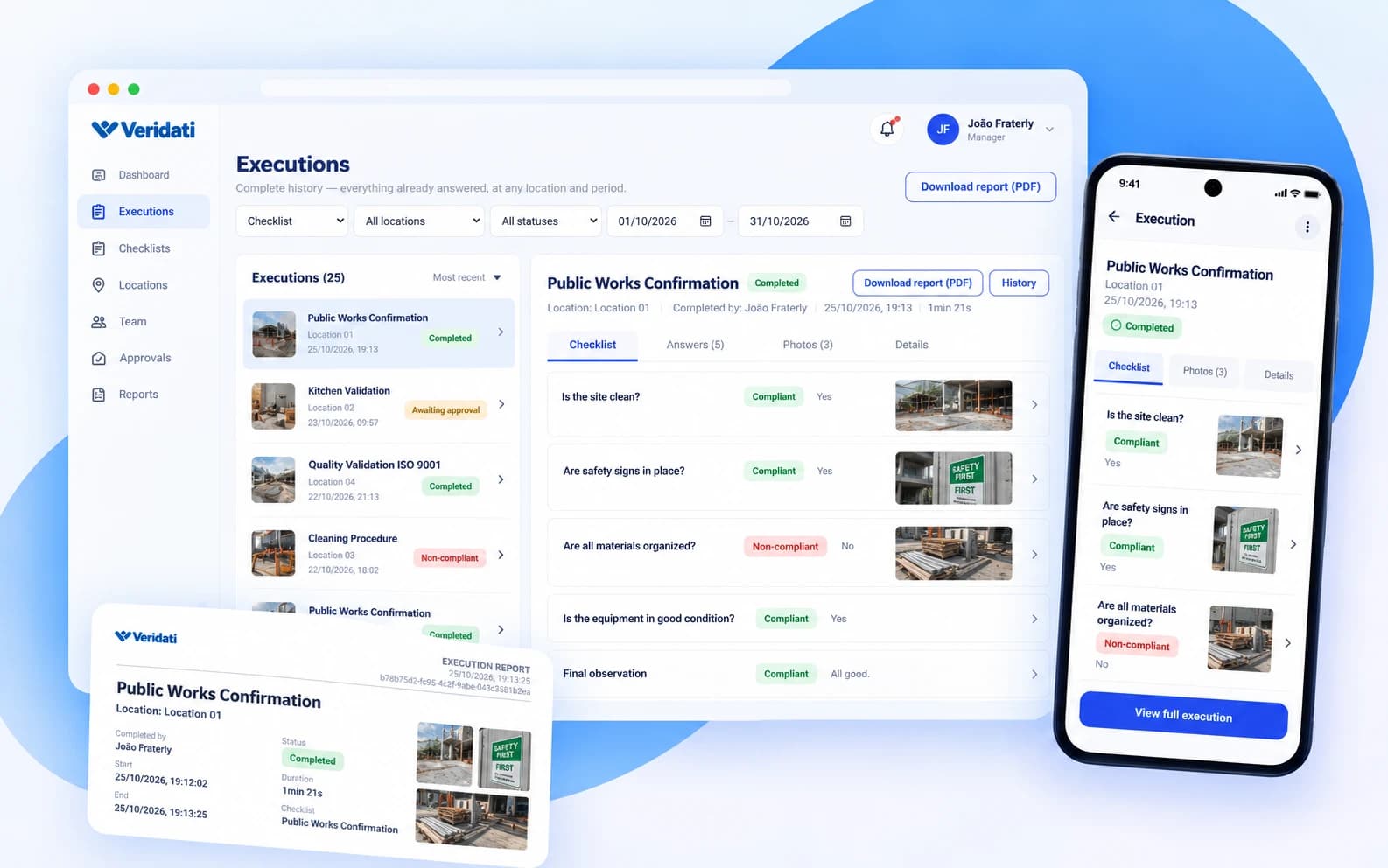
Generate PDFs with answers, evidence, timing and approval.
Encryption, access control and optional 2FA.
Import locations, teams, questions and checklists via CSV.
Manage operations in the browser.
Execute and manage activities on mobile.
The same flow for a store, a kitchen, a building or a construction site.
Register locations, zones and teams in the Account web, or import them via CSV.
Create recurring, one-off or on-demand checklists and tasks with owners and deadlines.
The team answers in the mobile app and attaches photos; date, time and location are recorded with each answer.
Managers approve or follow up, and generate PDF reports with answers, evidence, timing and approval.
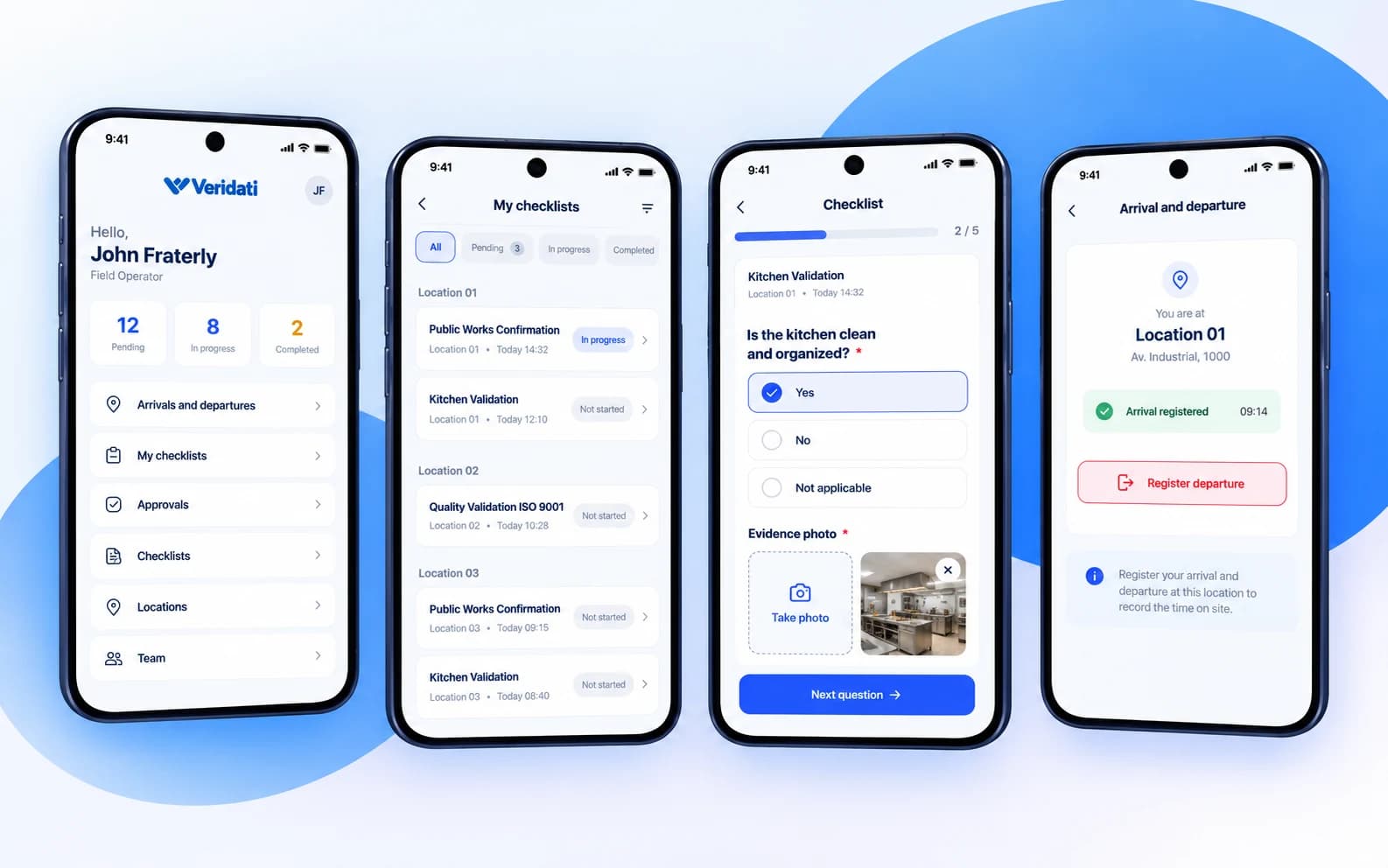
In the mobile app, each person sees their checklists for the day, answers question by question and attaches photos on site. Required questions and photos are checked before submitting.
In the Account web, managers follow each execution: answers, photos, status and timing. From there they approve or reopen, and download the PDF report or send it by email.
See your locations on the map with this week’s checklists, and record arrivals and departures from the mobile app. The map is available on the Free, Pro and Premium plans.
Dashboards show compliance by location and by checklist, deadline compliance and execution status. Reports are generated in PDF, ready to share.